
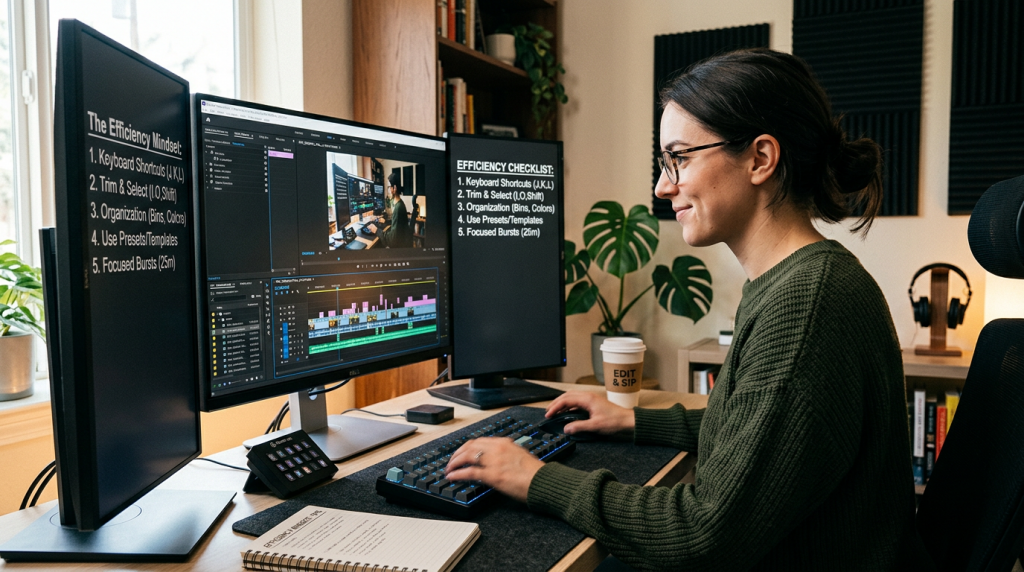
Efficiency in video editing isn’t about rushing your work; it’s about eliminating the friction between your brain and the timeline. When you remove the technical hurdles, you free up your creative energy to focus on what actually matters: the story.
1. Architect Your Project Bins
The most common “hidden” time-waster is searching for files. Stop creating folders on the fly. Use a standardized directory structure for every single project:
- 01_Project_Files: For your Premiere/After Effects project files.
- 02_Footage: Grouped by camera or date (e.g., A-Cam, B-Cam, Drone).
- 03_Audio: Divided into Voiceover, Music, and SFX.
- 04_Graphics: Logos, lower-thirds, and MOGRTs.
- 05_Exports: Version-controlled (e.g.,
ProjectName_v01,ProjectName_v02).
By keeping this structure identical every time, you’ll never spend a minute wondering where a file is.
2. Master the “Keyboard-Only” Workflow
Every time your hand moves from the keyboard to the mouse, you lose momentum. Professional editors should be able to perform 90% of their edits without touching the mouse.
- Remap your keys: If you find yourself frequently using a tool, give it a dedicated key in a position that feels natural for your hand.
- The “J-K-L” Method: If you aren’t using the J, K, and L keys to shuttle through footage at 2x or 4x speed, you are editing in slow motion. Master these keys to scan hours of raw footage in minutes.
- Blade Tool Shortcut: Map your “Add Edit” (razor blade) to a key like
QorEso you can slice clips without ever leaving the keyboard.
3. The Power of “Master Templates”
Never start a project from scratch. Create a Master Project Template that includes:
- Your standard audio mix settings (the audio ducking and EQ settings we discussed in Day 5).
- Adjustment layers already set up for your color grading chain.
- A folder of your most-used “Utility” MOGRTs.When you start a new project, simply open this template file and “Import” your new footage into it. You’ll save 15–30 minutes of setup time on every single video.
4. The “Pomodoro” Editing Sprint
Editing requires intense focus, and mental fatigue is real. Use a modified Pomodoro technique:
- 50 minutes of deep, uninterrupted editing. No emails, no phone, no social media.
- 10 minutes of physical reset. Stand up, stretch, or grab water.During the 50-minute sprint, don’t worry about perfect color grading or complex transitions. Just get the structure right. “Edit for the story, polish for the eyes.” Save the fine-tuning for your final pass when you have a fresh set of eyes.
5. Stop Perfectionism, Start Iteration
The enemy of a growing business is the “one-clip-per-day” perfectionism trap. If you spend 10 hours perfecting a single transition that the viewer might not even notice, you aren’t being a professional—you are procrastinating.
- Aim for “Done,” then “Better.” Export your first rough cut quickly. Watching your own video back at a normal playback speed on a different screen often reveals errors that you simply become “blind” to while staring at the timeline.
Conclusion: Your Workflow is Your Product
When you treat your editing workflow with the same care as your construction projects, the results are undeniable. By building a system that handles the grunt work, you allow yourself to produce high-retention content consistently. Whether you are creating technical tips for other editors or long-form documentaries about global economics, a refined workflow is the foundation of your scalability.
What is the one thing in your editing setup that you know slows you down? Let’s chat in the comments—I’m curious to see if we can find a technical shortcut to fix it for you!
Leave a Reply